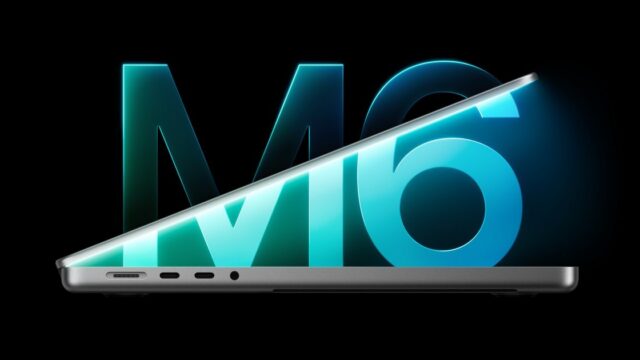
MacBook Pro with PROLED XDR Display Reviews: A Superb OLED Screen at a Steep Price
Reviewers call the MacBook Pro with PROLED XDR Display's OLED screen the best on a laptop, but the touchscreen is basic and prices start at $2,899.
Early reviews of Apple’s MacBook Pro with PROLED XDR Display agree on two things: the new tandem OLED screen is the best display reviewers have seen on a laptop, and the machine costs a lot more than the MacBook Pro it sits beside. 9to5Mac, Tom’s Hardware and Engadget all praised the lighter body and the screen. The first touchscreen on a Mac drew a cooler response. Engadget’s verdict was that it “doesn’t add much,” and 9to5Mac called it a nice-to-have.
What reviewers liked
The display got the strongest praise. Tom’s Hardware called it the best screen its reviewer had ever seen on a notebook, and 9to5Mac said its contrast, color saturation and blacks beat every other laptop its reviewer had used, Windows machines with high-end OLED panels included. Because each pixel on an OLED panel lights up on its own, the halo effect around bright objects that mini-LED screens showed (known as blooming) is gone, 9to5Mac noted. Engadget found the difference hard to spot in everyday work but said dark movie scenes with sudden bright moments looked more realistic.
Apple rates the panel at 2,000 nits peak HDR brightness and 1,000 nits sustained full-screen brightness, according to 9to5Mac and Engadget. Tom’s Hardware measured 1,964 nits in its HDR test. Reflections were minimal even next to a window, both 9to5Mac and Tom’s Hardware reported. 9to5Mac put the glossy screen’s reflectance at 1%.
Weight is the other big change. The 14-inch model is 3 pounds and the 16-inch is 4 pounds, according to all three outlets (Tom’s Hardware lists 4.1 pounds for its M5 Max configuration). 9to5Mac’s reviewer said the 16-inch felt so much lighter that it made him rethink his usual preference for the smaller model.
Reviewers also liked:
- The Dynamic Island, which replaces the notch and shows alerts and ongoing activities. Tom’s Hardware called it far more useful than the notch.
- The redesigned six-speaker system, which Engadget said has deeper bass and played loudly outdoors without distortion.
- Thinner bezels and a screen rounded on all four corners, with the 16-inch display growing to 16.3 inches.
- The glowing Apple logo on the lid, which returns for the first time in years and follows the display’s brightness.
What reviewers criticized
Price came up in every review. The 14-inch model starts at $2,899 and the 16-inch at $3,399. Tom’s Hardware’s 16-inch review unit cost $7,899 as configured, and the outlet listed “very expensive” first among its reasons to avoid the laptop. Engadget called the prices obscene and said it could not easily recommend the machines to casual buyers.
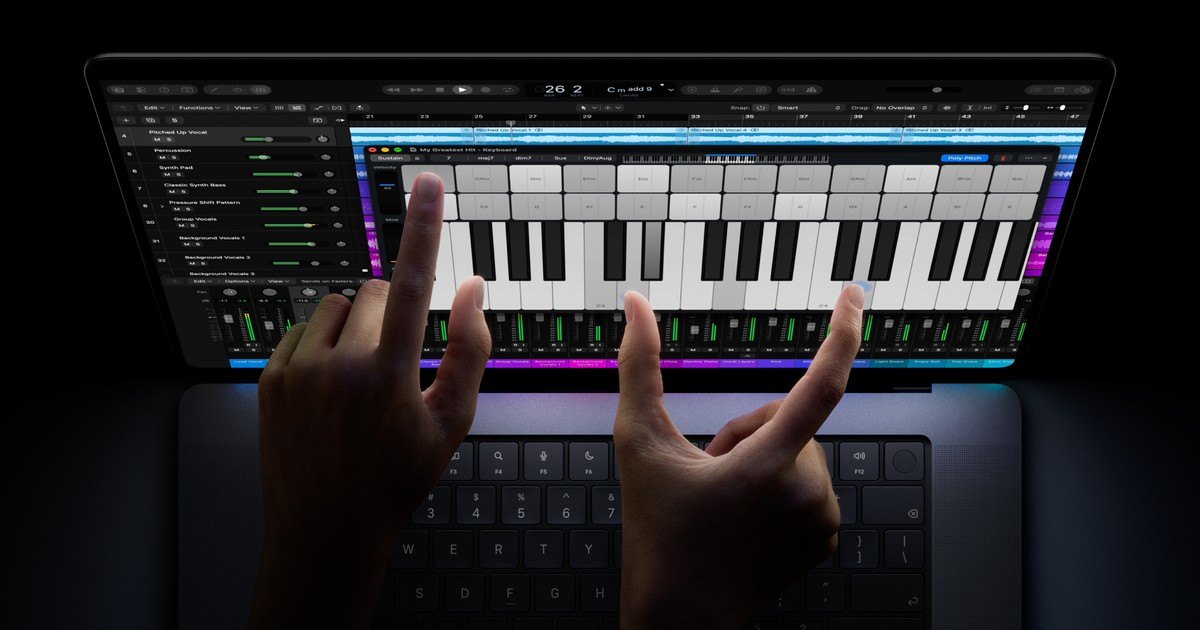
The touchscreen is a simple addition. Apple adjusted macOS so menus spread out and the window buttons enlarge after a tap, and familiar gestures such as pinch to zoom work on the glass. 9to5Mac found it awkward to tap the window controls twice in a row. Engadget said touches register as mouse clicks and that Powerwash Simulator was more accurate with the trackpad. There is no Apple Pencil support, so both Engadget and Tom’s Hardware pointed people who want to draw toward an iPad. Tom’s Hardware also noted there is still no Face ID.
Performance is unchanged because the laptops use the same M5 Pro and M5 Max chips as the standard models. Engadget’s 14-inch unit with an M5 Pro scored 4,217 in Geekbench 6 single-core and lasted about 12 and a half hours on its reviewer’s workday. The 16-inch ran for 10 hours and 15 minutes on Engadget’s coding benchmark.
Where the reviews disagree
The size of the price premium depends on the comparison. Tom’s Hardware counts a $400 bump over standard MacBook Pros with identical chips. Engadget says the 14-inch costs $900 more than the standard 14-inch MacBook Pro, while the 16-inch is $400 more.
Reviewers also measured the screen differently. In Tom’s Hardware’s lab tests it covered 83.6% of the DCI-P3 color range, slightly less than the mini-LED model, and reached 542.6 nits in SDR, below the Surface Laptop Ultra’s 944 nits. The reviewer still judged the OLED panel better to the eye.
The hinge split opinion too. Engadget found it a bit stiffer to handle touch input, while Tom’s Hardware said the screen still wobbles when touched. Reports also differ on the ports: Tom’s Hardware lists three Thunderbolt 5 ports, while Engadget lists three Thunderbolt 4 ports.
Who should buy it
Engadget suggested the PROLED models make sense for professionals who want the best screen available or who travel a lot. It called the 16-inch the better value at $400 over the standard version and said paying $900 more for the 14-inch is hard to justify unless the lowest weight matters most. Owners of a recent M-series MacBook Pro have no reason to rush, Engadget said, because those machines have the same chips and still have good screens.
Sources: 9to5Mac, Tom's Hardware, Engadget