Robot Vacuum Buying Guide: Lidar vs Camera, Mop Combos, Docks and Hidden Costs
Navigation, docks and mopping systems vary more than suction numbers do. Here's what to compare before you buy a robot vacuum, and what it costs to own.
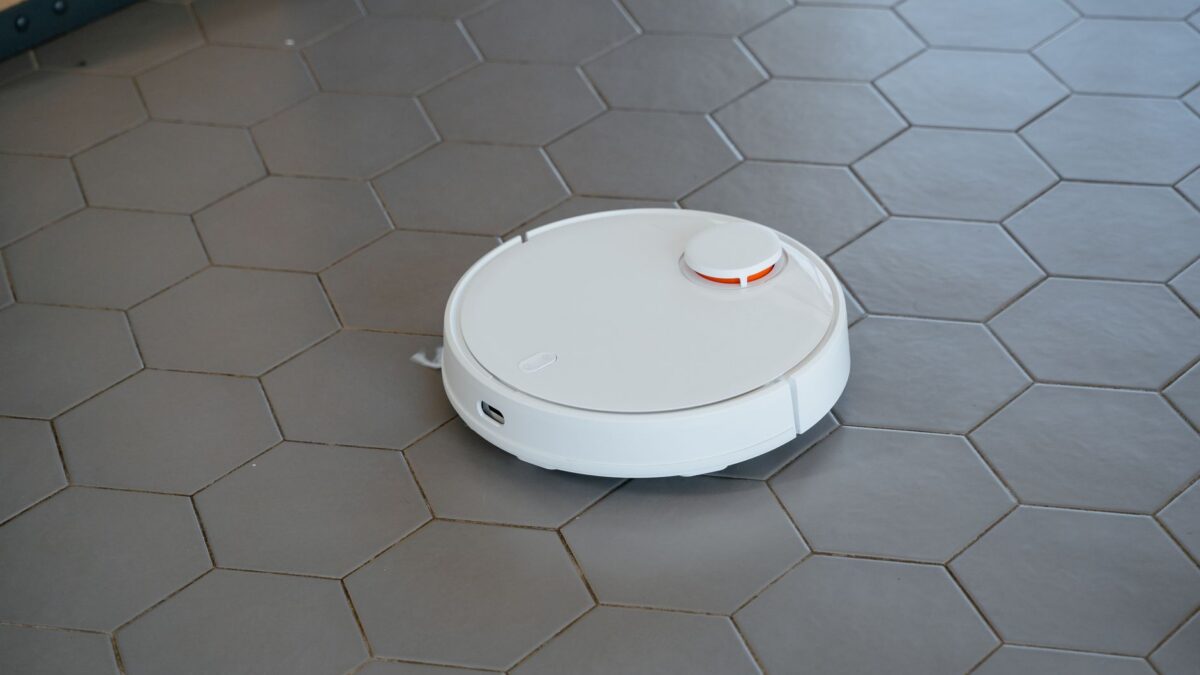
Choose a robot vacuum by navigation first, then the dock, then mopping. For most homes, a model with lidar navigation plus front obstacle avoidance gives reliable maps and fewer stuck moments, a self-empty dock saves the most daily effort, and a mop combo is only worth paying for if you have a lot of hard floors. Budget for replacement bags, filters and brushes too, because they add up over the years.
Navigation: lidar, camera or both
Navigation decides whether the robot cleans in neat rows, remembers rooms and avoids getting lost. There are three main approaches:
| Type | How it works | Strengths | Weak spots |
|---|---|---|---|
| Lidar (laser) | A spinning or built-in laser measures distances to walls and furniture | Accurate maps, works in the dark, fast mapping | The turret adds height; may struggle with mirrors or very low furniture |
| Camera (vSLAM) | An upward or forward camera recognizes landmarks | Low profile, can recognize objects | Needs light to navigate well; raises more privacy questions |
| Lidar plus camera or structured light | Lidar maps the room; a front sensor identifies obstacles | Best at avoiding cords, socks and pet mess | Usually costs more |
| Bump-and-go (gyro only) | Random or simple patterns, no full map | Cheapest | Misses spots, no room-by-room control |
If you have pets, kids’ toys or loose charging cables on the floor, front obstacle avoidance matters as much as the mapping method. Look for it described as AI, camera, 3D or structured-light avoidance, and check reviews for how it handles cords.
Suction and brushes
Manufacturers quote suction in pascals (Pa), and the numbers keep climbing. They’re not measured the same way across brands, so treat them as rough guides rather than a direct comparison. More useful details are:
- Rubber or tangle-resistant brushes, which shed long hair and pet fur instead of wrapping it.
- Automatic carpet boost, which raises suction when the robot detects a rug.
- Height: measure the gap under your sofa and bed. Some lidar models now retract the turret to fit lower spaces.
- Threshold climbing: if you have raised door sills, check the maximum height the robot can cross.
Mop combos: what the options mean
Many robots now vacuum and mop. The quality varies widely:
- Drag pad: a damp cloth pulled behind the robot. Fine for light dust, not for dried spills.
- Vibrating or spinning pads: scrub with pressure; better on sticky spots.
- Roller mops: a rotating roller that’s rinsed as it cleans, on some newer models.
- Mop lifting: raises the pads when the robot reaches carpet, so rugs don’t get wet. If you have thick rugs, check how high the pads lift, or whether the robot can drop its pads at the dock before vacuuming carpet.
- Extending mops or side brushes: reach further into edges and corners.
If most of your home is carpet, skip the mop and spend the money on better navigation or a self-empty dock.
Docks: from basic charger to full service station
| Dock type | What it does | Ongoing cost |
|---|---|---|
| Charging only | Recharges; you empty the small bin after most runs | Filters and brushes |
| Self-empty | Sucks debris into a bag in the dock; you change the bag every few weeks | Bags plus filters and brushes |
| Bagless self-empty | Empties into a dock bin you tip out | No bags; bin needs regular cleaning |
| Full station (mop models) | Empties dust, washes and dries mop pads, refills the robot’s water tank | Bags, cleaning solution, pads; dirty water tank to empty |
Full stations are large and need floor space near an outlet, with clearance on the sides and in front. Some can be plumbed into water lines, which usually requires an extra kit and a bit of DIY.
App, maps and privacy
Mapping robots build a floor plan of your home and, on camera models, may capture images to recognize obstacles. Before you connect one to Wi-Fi:
- Read the privacy policy section on maps and images. Look for whether obstacle photos are uploaded or processed on the robot.
- In the app, check for settings such as Privacy, Data or Camera controls, and turn off anything you don’t need, such as remote video viewing or sharing images to improve the product.
- Use a strong, unique password for the app account and turn on two-factor authentication if it’s offered. Our guide to setting up two-factor authentication walks through the options.
- Keep the robot’s firmware updated through the app.
- If your router supports it, put smart-home devices on a guest or IoT network.
Some robots also work with smart-home platforms. If you want to control it from a mixed ecosystem, check whether it supports Matter or only a specific assistant.
Maintenance and ownership costs
A robot vacuum is a few years’ commitment. Plan for:
- Dust bags for self-empty docks, replaced every month or two depending on your home.
- Filters, typically every few months.
- Side brushes and main brushes, which wear down over time.
- Mop pads and cleaning solution on mop models.
- Battery: lithium-ion packs lose capacity with age. Check whether replacements are sold and whether you can fit one yourself.
Before buying, look up whether genuine parts are easy to find for that exact model. A cheap robot with scarce parts can cost more over time than a pricier one with widely available accessories.
Rough price tiers
- Under about $300: basic or gyro navigation, sometimes entry lidar; usually no self-empty dock.
- About $300 to $700: lidar mapping, often a self-empty dock, basic mopping.
- About $700 and up: advanced obstacle avoidance, full wash-and-dry stations, better mops.
Prices drop sharply during big sales. Older flagship models are often good value once their successors launch.
Bottom line
Pick lidar with obstacle avoidance for reliable cleaning, add a self-empty dock if you want truly hands-off vacuuming, and pay for a full mop station only for mostly hard floors. Check the app’s privacy settings on day one and confirm that bags, filters and brushes are easy to buy before you commit.
FAQ
Do robot vacuums replace a regular vacuum?
For daily upkeep, often yes. You’ll still want a handheld or stick vacuum for stairs, upholstery and deep cleaning.
Are camera robot vacuums a privacy risk?
They can be if images leave the device. Read the privacy policy, disable optional image sharing and remote viewing, and secure the account with 2FA.
Can a robot vacuum handle pet hair?
Most can. Look for rubber or tangle-resistant brushes and a self-empty dock, and plan to clean the brush roll regularly.
How long do robot vacuums last?
Many last several years with regular maintenance. The battery and brushes are the usual wear parts, so check that replacements are available.