Drone Rules for Beginners in the US: TRUST, Registration, Remote ID and Where You Can Fly
Before your first flight, here's what the FAA expects from recreational drone pilots in the US, and what changes if you fly for work.
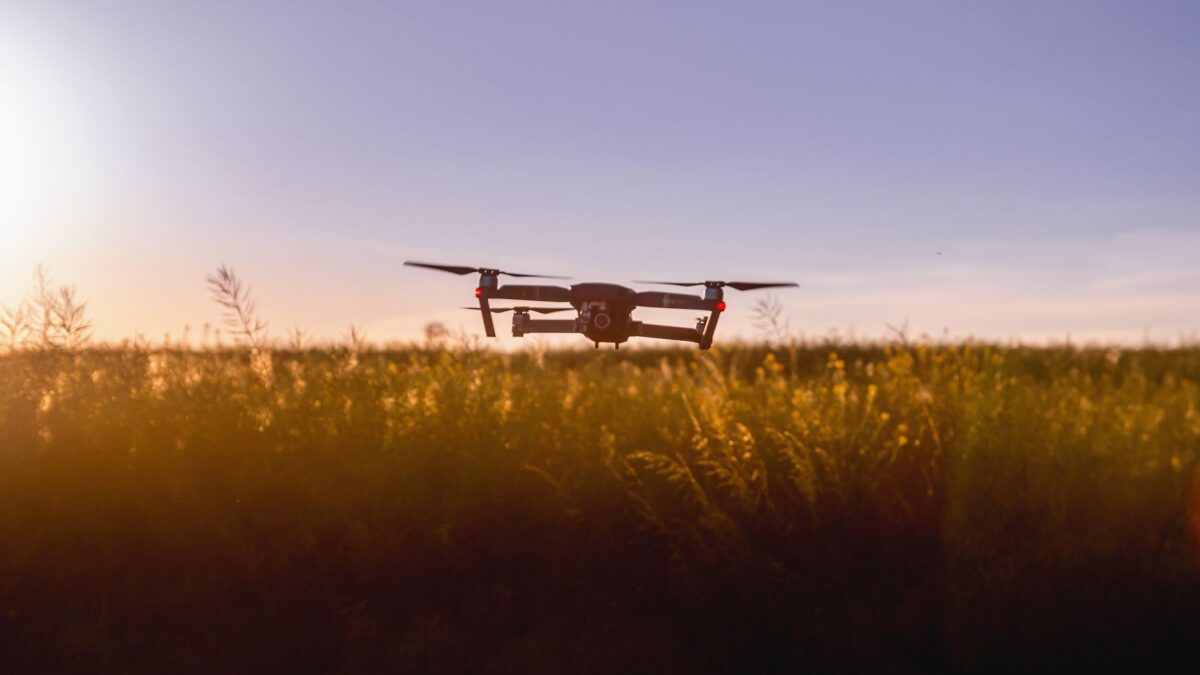
To fly a drone for fun in the US, you need to pass the FAA’s free TRUST safety test, register any drone that weighs 250 grams (0.55 lb) or more, make sure that drone meets Remote ID rules, and follow the basic flying limits: stay at or below 400 feet, keep the drone in sight, and get authorization before flying in controlled airspace near airports. If you fly for any business purpose, different rules (Part 107) apply.
Rules change, so confirm details on the FAA’s recreational flyers page before you fly.
Step 1: Decide whether you’re recreational or Part 107
The FAA splits drone pilots into two main groups:
| Recreational flyer | Part 107 (commercial) | |
|---|---|---|
| Who it’s for | Flying purely for fun or personal enjoyment | Any flying that furthers a business: paid photo jobs, real estate, monetized content, work inspections |
| Test | TRUST (free, online, can’t fail permanently) | Remote Pilot certificate knowledge test at a testing center, with recurrent training |
| Registration | Drones 250 g and over | All drones flown under Part 107, regardless of weight |
| Remote ID | Required for registered drones | Required |
The line is about purpose, not money changing hands. If a flight supports a business in any way, it’s generally Part 107. When unsure, check the FAA’s guidance or fly under Part 107.
Step 2: Take the TRUST test
The Recreational UAS Safety Test (TRUST) is a short online course with questions at the end. It’s free through FAA-approved test administrators listed on faa.gov.
- Go to the FAA’s TRUST page and choose an approved test administrator.
- Complete the training and questions. If you answer wrong, the course explains the correct answer and lets you continue.
- Download or print your completion certificate.
- Carry it (paper or on your phone) whenever you fly. It doesn’t expire, but it can’t be reissued if you lose it, so save a copy.
Step 3: Register your drone if it weighs 250 g or more
Recreational drones at or above 250 grams, measured at takeoff weight including battery and accessories, must be registered in the FAA’s DroneZone portal.
- Go to DroneZone on faa.gov and create an account.
- Choose the recreational registration option.
- Pay the fee (it has been $5) and receive your registration number. A recreational registration covers all the drones you own and lasts three years.
- Mark the registration number on the outside of each drone.
- Carry proof of registration when flying.
Watch out for third-party sites that charge extra to “help” you register. Use the official FAA portal only.
Many small camera drones are designed to weigh just under 250 g, so they don’t need registration for recreational flying. Adding a bigger battery, prop guards or accessories can push them over, so check the real takeoff weight.
Step 4: Understand Remote ID
Remote ID works like a digital license plate: the drone broadcasts its identity, location and the location of its pilot or takeoff point while flying. It has been required since 2023. A registered drone must meet it in one of three ways:
- Standard Remote ID built into the drone (most current models from major brands).
- A broadcast module attached to an older drone. You add the module’s serial number to your registration.
- Flying only within an FAA-Recognized Identification Area (FRIA), typically a club field, without Remote ID.
Recreational drones under 250 g that aren’t required to register don’t need Remote ID. Check the manufacturer’s documentation to see whether your model has standard Remote ID and add its serial number to your DroneZone registration.
Step 5: Know where you can fly
Airspace and altitude
- In uncontrolled airspace (Class G), recreational flyers can fly up to 400 feet above ground level without permission.
- In controlled airspace around many airports, you need authorization first. Recreational flyers usually get it instantly through LAANC, offered inside several FAA-approved apps.
- Use the FAA’s B4UFLY service, available through approved apps, to check airspace and restrictions at your location before each flight.
Places that are usually off-limits
- Areas under a Temporary Flight Restriction (TFR), such as wildfires, major sporting events, stadiums and VIP movements.
- Most national parks, where the National Park Service generally prohibits launching and landing drones.
- Near military bases, prisons, power plants and other sensitive sites, often marked as restricted in B4UFLY.
- Over emergency scenes. Interfering with firefighting or rescue aircraft can bring heavy penalties.
State and local rules may limit where you can take off and land, such as city parks. The FAA controls the airspace, but local governments can control the ground.
Step 6: Follow the basic safety rules every flight
- Keep the drone within your own visual line of sight, or that of a visual observer standing next to you.
- Always give way to manned aircraft.
- Don’t fly over people or moving vehicles in ways that could endanger them.
- Never fly under the influence of drugs or alcohol.
- Check weather and wind; small drones are easily pushed off course.
- Do a pre-flight check: props, battery level, firmware, return-to-home settings.
Batteries and travel
Drone batteries are lithium-ion, and airlines set rules for carrying them. Spares generally go in carry-on bags, not checked luggage, with terminals protected. Our guide to power banks and airline rules explains watt-hour limits that apply to spare batteries too, and our USB-C cables explainer helps if your drone’s charger uses USB-C. Check your airline’s policy before flying with a drone.
Privacy and respect
FAA rules cover safety, not privacy. State laws may restrict recording people on private property. Avoid hovering near homes, keep the camera pointed away from people who haven’t agreed to be filmed, and land if someone asks you to.
Bottom line
For recreational flying: take TRUST, register drones 250 g and over through DroneZone, confirm Remote ID compliance, check B4UFLY before each flight, get LAANC authorization in controlled airspace and stay at or below 400 feet within sight. If your flight helps any business, look into Part 107 instead. Rules evolve, so check faa.gov/uas before you fly somewhere new.
FAQ
Do I need a license to fly a drone for fun?
You don’t need a pilot license, but you must pass the free TRUST test and carry your certificate. Commercial flying needs a Part 107 certificate.
Does a drone under 250 g need anything?
For recreational flying, it doesn’t need registration or Remote ID, but you still need TRUST and must follow the airspace and safety rules.
Can I fly in my backyard near an airport?
If your backyard is in controlled airspace, you need authorization first, usually through LAANC in an approved app. Check B4UFLY.
Can I fly my drone in a national park?
Generally no. The National Park Service prohibits launching, landing or operating drones in most parks without a special permit.