iPhone Duo Owners Can’t Change Display Zoom After Setup, Apple Support Says
Owners of Apple's first foldable say the Display Zoom option is missing from Settings, so the text size chosen at setup is locked in unless the phone is erased.
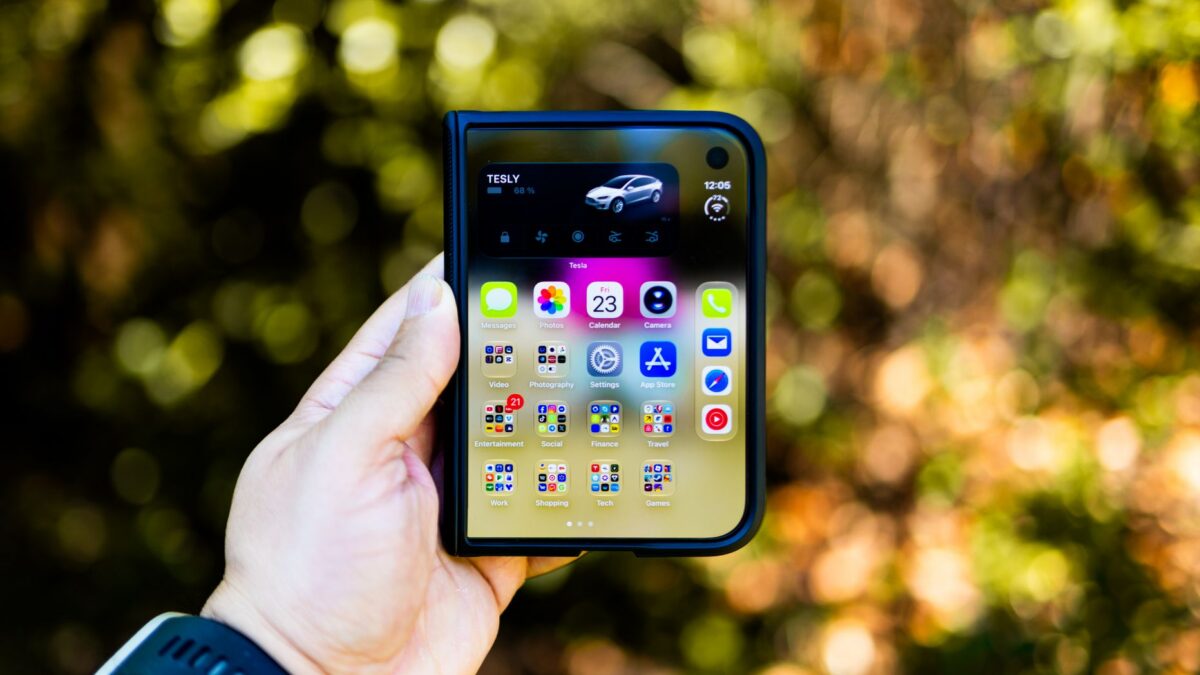
Some owners of the iPhone Duo, Apple’s first foldable phone, have found that they cannot change how large text and icons look after the initial setup. The Display Zoom option, which normally lives in the Appearance settings on iPhones, is missing on the Duo, according to a report from MacRumors.
What is missing
During setup, every iPhone shows an Appearance screen where you pick how text and icons are displayed: Default, Medium or Large. On other iPhones you can change that choice later by opening Settings, then Appearance, and tapping Display Zoom.
On the iPhone Duo, that Display Zoom option does not appear. That means the choice you make during setup is effectively permanent. MacRumors says it confirmed the option is still absent on the phone running iOS 27.2, the latest software version mentioned in its report.
What Apple Support told one owner
The gap was first spotted last week by a Reddit user. A MacRumors forum member, who goes by earthdog, said an Apple Support senior advisor told them there is no way to change the setting after setup. The only fix the advisor offered was to erase the device and set it up again.
MacRumors says it has asked Apple about the omission and will update its article if it hears back. For now, Apple has not publicly explained whether the missing option is deliberate or a bug.
Why it matters
Display Zoom is an accessibility and comfort setting. People who find text too small, or who want more content on screen, often adjust it after living with a phone for a few days. Because the Duo is a new kind of device with a different screen, first impressions at setup may not match how someone wants to use it later.
Erasing a phone to change one setting is a heavy price. It means backing up, wiping and restoring, which takes time and carries some risk of losing data that was not backed up.
What to do if you own or plan to buy one
- If you have not set it up yet, think carefully about the text size you pick on the Appearance screen. Larger text is easier to read, while Default shows more on screen.
- If you already regret your choice, back up the phone first before considering an erase and restore, since that is the only method Apple Support has offered so far.
- If you rely on larger text, check the other accessibility options in Settings, though the report does not say whether they offer a substitute for Display Zoom.
Other early Duo issues
The report sits alongside other early coverage of the phone. MacRumors previously reported that some Apple retail staff were told to warn customers that walk-in stock was unlikely on launch day, October 23. It also cited photos shared on Reddit and its forums of hinge-related display problems, mostly lines of bright pixels along the hinge. One owner in Australia said the screen cracked after the phone was opened fewer than 20 times. Those reports come from owners and have not been confirmed by Apple in the material available here.
What happens next
It is still unknown whether Apple will restore Display Zoom with a software update or treat the omission as intentional. MacRumors says it will update its story if Apple responds. Until then, the only known workaround is to wipe the phone and choose a different setting during setup.
Source: MacRumors