What Is Matter? The Smart Home Standard and Thread Explained
Matter promises that a smart plug or bulb works with any major smart home app. Here's what it actually does, how Thread differs from Wi-Fi, and how to buy without regret.
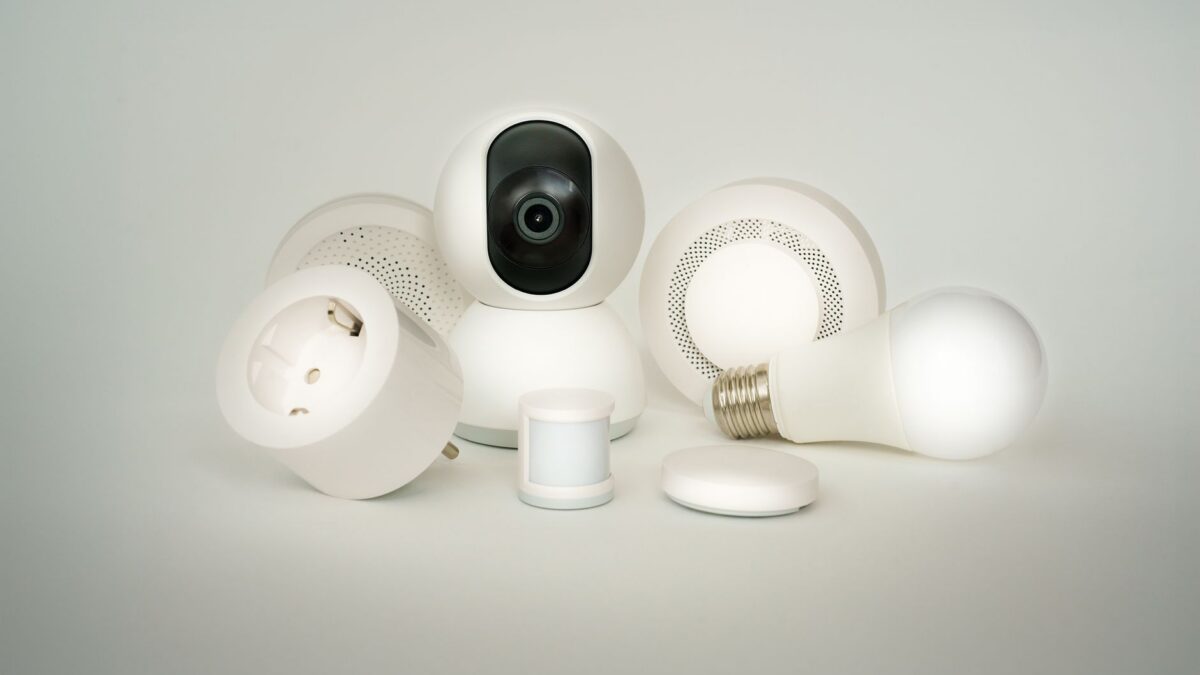
Matter is a shared smart home standard that lets compatible devices, like plugs, bulbs, locks and sensors, work with Apple Home, Google Home, Amazon Alexa and Samsung SmartThings, often at the same time. Matter devices talk over your home network, either by Wi-Fi or Thread, a low-power mesh network for small battery devices. To use Thread devices, you need a Thread border router, which is built into many smart speakers, displays and streaming boxes you may already own.
What Matter solves
Before Matter, you had to check whether each device supported HomeKit, Alexa or Google, and many only worked with one. Matter replaces that with a single standard managed by the Connectivity Standards Alliance, the industry group behind Zigbee, whose members include Apple, Google, Amazon and Samsung.
Key benefits:
- One device, many apps. Matter’s multi-admin feature lets you add the same light to Apple Home and Alexa, so different people in the house can use their preferred app or voice assistant.
- Local control. Matter devices are controlled over your home network, so basic actions can be faster and keep working if your internet goes down (remote access still needs the internet).
- Simpler setup. You scan a QR code or type a setup code, and the device joins your network.
What devices does Matter support?
Support has grown with each version of the standard:
- From the start (2022): lights, plugs and switches, thermostats, door locks, blinds, sensors, TVs and bridges.
- Later versions: robot vacuums, appliances such as fridges and dishwashers, air purifiers, energy reporting, EV chargers, solar and home batteries.
- Matter 1.5 (late 2025): added cameras and video doorbells. The first certified cameras reached stores in 2026, and support in each smart home app is still rolling out.
A device being “Matter-certified” means it supports the standard, but individual apps may not expose every feature yet. Advanced features, such as a camera’s AI-based detection, can remain tied to the maker’s own app.
Matter over Wi-Fi vs Matter over Thread
Matter is the common language; Wi-Fi, Thread and Ethernet are how the messages travel.
| Matter over Wi-Fi | Matter over Thread | |
|---|---|---|
| Best for | Plugged-in devices: plugs, cameras, appliances, some bulbs | Battery devices: sensors, locks, buttons, plus bulbs and plugs |
| Power use | Higher | Very low; batteries can last months or years |
| Extra hardware | None beyond your Wi-Fi router | A Thread border router (often built into a speaker or hub) |
| Network effect | Each device adds load to your Wi-Fi | Plugged-in Thread devices repeat signals, strengthening the mesh |
| Data bandwidth | High (needed for video) | Low (fine for on/off and sensor data) |
If you already have a lot of devices on your Wi-Fi, Thread versions of sensors and bulbs reduce congestion. If your Wi-Fi is weak in parts of the house, our guide to setting up mesh Wi-Fi can help; some mesh routers also include a Thread border router.
Do you need a hub?
To set up and automate Matter devices, you need a Matter controller. Your phone can add devices, but a home device that stays on lets automations run and allows remote control. Common controllers that also act as Thread border routers include:
- Apple Home: HomePod mini, HomePod (2nd generation) and Apple TV 4K models with Thread (the Wi-Fi + Ethernet versions of recent models).
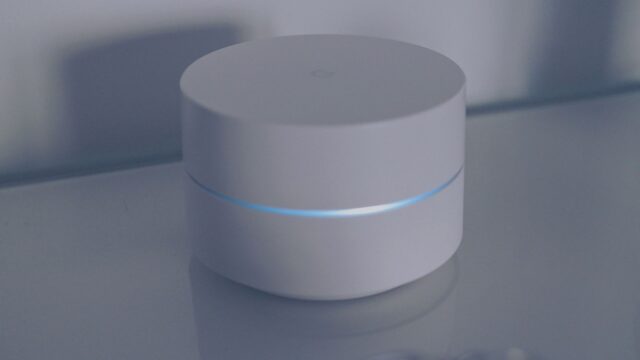
- Google Home: Nest Hub (2nd gen), Nest Hub Max, Nest Wifi Pro and Google TV Streamer.
- Amazon Alexa: many recent Echo speakers and displays, plus eero routers.
- Samsung SmartThings: SmartThings Station and recent SmartThings hubs, plus some Samsung TVs and appliances.
Not every model in each family supports Thread, so check the exact model on the maker’s support page.In Apple Home, for example, you can see which device is acting as your home hub under Home > Home Settings > Home Hubs & Bridges.
How to add a Matter device
- Make sure your controller (speaker, display, Apple TV or hub) is set up and updated.
- Power on the new device and keep it close to the controller during setup.
- Open your smart home app and choose to add a device: Home > + > Add Accessory on iPhone, Devices > Add > Matter-enabled device in Google Home, or Devices > + > Add Device in Alexa (labels vary by version).
- Scan the Matter QR code on the device, box or manual, or enter the numeric setup code.
- Name the device and assign it to a room.
- To add it to a second app, open the device’s settings in the first app, find the option to share or link with another app (it may be called Turn On Pairing Mode or Linked Matter apps & services), then use the temporary code in the second app.
Keep a photo of the setup code. If you ever factory reset the device, you’ll need it again.
Buying advice
- Look for the Matter logo on the box, and for “Thread” if you want the low-power version.
- Check firmware updates. Some older devices gained Matter through updates; others never will.
- Don’t throw out working Zigbee or Z-Wave gear. Many hubs act as bridges that expose older devices to Matter apps.
- Cameras: Matter camera support is new. If you’re shopping now, also weigh storage, subscriptions and encryption; see our guide to home security camera privacy.
- Secure your network. Use a strong Wi-Fi password, keep your router updated and protect your smart home accounts with two-factor authentication.
Bottom line
Matter makes smart home shopping simpler: a certified device should work with Apple, Google, Amazon and Samsung apps. Choose Thread versions for battery-powered sensors and locks, make sure you have a Thread border router, and check that the app you use supports the device type you’re buying, especially for newer categories like cameras.
FAQ
Is Thread the same as Matter?
No. Matter is the standard devices use to understand each other; Thread is one of the networks that carries Matter messages, alongside Wi-Fi and Ethernet.
Do Matter devices work without internet?
Local control and many automations keep working on your home network. Remote control from outside the house and voice assistants that rely on the cloud need internet.
Can I use Matter devices with more than one app?
Yes. Multi-admin lets you add one device to several ecosystems, such as Apple Home and Google Home, at the same time.
Will my old smart devices get Matter?
Some have received it through firmware updates, but many won’t. A bridge or hub can often connect older Zigbee and Z-Wave devices to Matter apps.