How to Choose a Power Bank: mAh vs Wh, Real Capacity, USB-C PD and Airline Rules
The mAh number on the box is only part of the story. Here is how to pick the right capacity, charging speed and ports, and travel with a power bank safely.
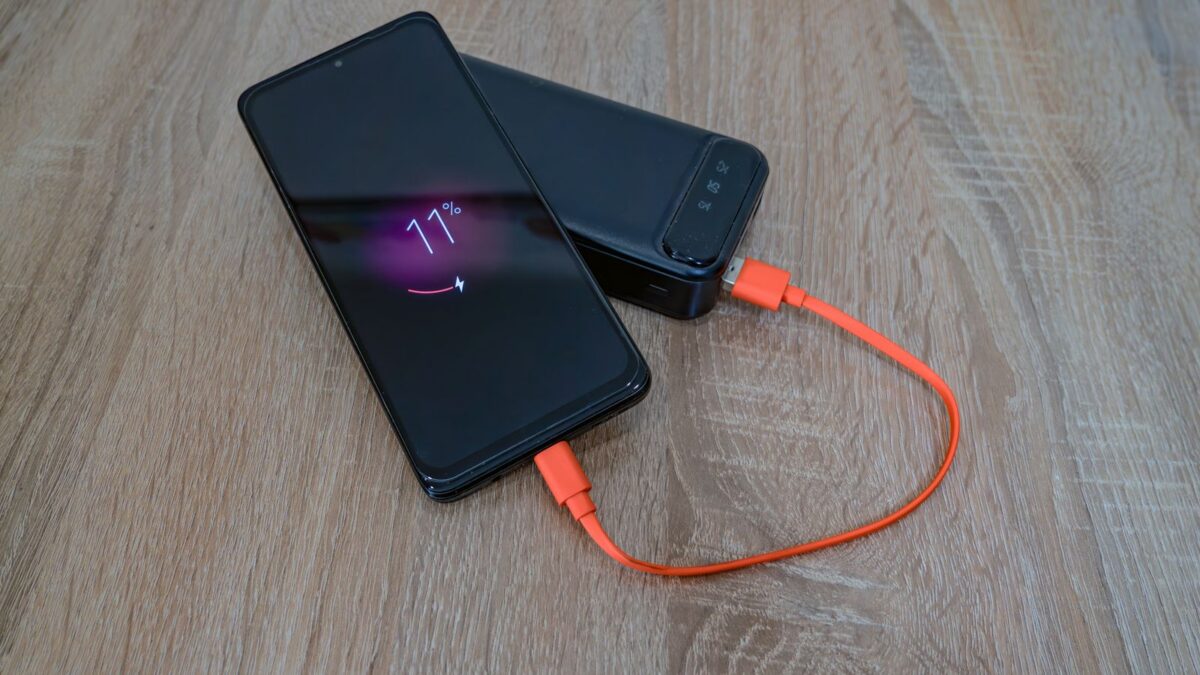
To choose a power bank, start with watt-hours (Wh) rather than the big mAh number, expect to get roughly two-thirds of the rated capacity into your device, and match the USB-C Power Delivery (PD) wattage to what you are charging: about 20–30 W for a phone, 45–100 W or more for a laptop. If you fly, stay at or under 100 Wh, keep it in your carry-on, and buy from an established brand with proper safety certification.
mAh vs Wh: the number that actually matters
Power banks are advertised in milliamp-hours (mAh), but that figure is measured at the internal battery cells’ voltage, usually about 3.6–3.7 V. Phones and laptops charge at higher voltages, so mAh numbers are not directly comparable between a power bank and your device.
Watt-hours measure actual stored energy and are what airlines use. The conversion is simple:
Wh = mAh × cell voltage ÷ 1,000
For example, a 20,000 mAh power bank at 3.6 V stores 20,000 × 3.6 ÷ 1,000 = 72 Wh. Many manufacturers print the Wh rating on the label, which saves you the math.
Why you never get the full capacity
Some energy is lost as heat when the power bank converts its cell voltage to USB output, and more is lost in your device’s own charging circuitry. Cable quality, temperature and fast-charging modes all affect this. As a rough rule of thumb, plan on about 60–70% of the rated capacity actually reaching your device. Reputable brands often list a “rated capacity” at the output voltage, which is a more honest figure.
How much capacity do you need?
| Power bank size | Approx. energy | Typical use | Flight-friendly? |
|---|---|---|---|
| 5,000 mAh | ~18–19 Wh | Slim backup, about one partial-to-full phone charge | Yes |
| 10,000 mAh | ~36–37 Wh | Everyday carry; roughly one to two phone charges | Yes |
| 20,000 mAh | ~72–74 Wh | Travel, several phone charges or a partial laptop charge | Yes |
| 25,000–27,000 mAh | ~90–99 Wh | Laptop top-ups, multi-day trips | Usually, if labeled under 100 Wh |
| Above ~27,000 mAh | Over 100 Wh | Camping, power stations | Needs airline approval up to 160 Wh; banned above |
Phone charge counts are approximate; phones with larger batteries get fewer charges. To estimate, check your device’s battery capacity in Wh (laptops often list it) and compare it with roughly two-thirds of the power bank’s Wh.
Charging speed: USB-C PD and watts
Capacity tells you how much; watts tell you how fast. Most modern phones, tablets and laptops charge over USB-C Power Delivery. If your phone won’t charge at all, see what to check when an iPhone is not charging.
- Phones: a USB-C PD output of 20–30 W fast-charges most iPhones and many Android phones. Some Android phones use their own fast-charging schemes or PD’s PPS mode; check that the power bank supports PPS if your phone needs it for top speed.
- Tablets and small laptops: look for 45–65 W.
- Larger laptops: 100 W or more. Newer USB PD 3.1 power banks can go higher, but your laptop and cable must support it too.
- Cables: for anything over 60 W you need a USB-C cable rated for 100 W or 240 W (often marked as 5 A or “e-marked”).
Watch the total output when charging several devices. A bank advertised as “100 W” might share that across ports, so each device gets less when more are plugged in.
Ports and extra features
- USB-C in/out: lets you charge the bank itself quickly. A bank with high input wattage refills much faster.
- USB-A port: handy for older cables and accessories.
- Pass-through charging: charges the bank and a device at the same time, useful at hotel outlets. Some manufacturers advise against using it constantly.
- Wireless/magnetic charging: Qi2 magnetic packs snap onto compatible phones but are slower and less efficient than a cable.
- Display: a percentage readout is more useful than four LED dots.
- Low-current mode: keeps small gadgets like earbuds and fitness trackers charging properly.
Airline rules: the 100 Wh limit
In the U.S., the FAA’s rules for spare lithium-ion batteries (which include power banks) are:
- Carry-on only. Power banks are not allowed in checked bags. If a gate agent checks your carry-on, take the power bank out first.
- Up to 100 Wh: allowed without airline approval.
- 101–160 Wh: needs airline approval, limited to two spare batteries per passenger.
- Over 160 Wh: not allowed on passenger planes.
Many airlines add stricter rules, such as limiting how many power banks you can bring, requiring them to stay out of overhead bins, or banning their use during the flight. International rules have also tightened in 2026. Always check your airline’s current policy before flying, and see the FAA’s PackSafe page for the official U.S. rules.
Make sure the Wh rating is printed on the power bank itself. Security staff may refuse a bank with no readable label.
Safety: what to look for and how to use it
- Certification: look for a mark from a recognized testing lab (such as UL, ETL or TÜV), and buy from established brands and retailers. Very cheap, no-name banks often overstate capacity and skimp on protection circuits.
- Recalls: several major brands have recalled power banks for fire risk. Check your model on the CPSC recall site.
- Warning signs: stop using a bank that swells, gets very hot, smells odd, or was dropped hard and now behaves strangely.
- Heat: do not leave power banks in a hot car or charge them under pillows or on beds.
- Disposal: recycle old power banks at a battery drop-off point; never put them in household trash or recycling bins, where they can start fires.
Bottom line
Convert mAh to watt-hours to compare honestly, plan on about two-thirds of that energy reaching your device, and pick a USB-C PD output that matches your hungriest gadget: around 20–30 W for phones, 65–100 W for laptops. For travel, a 20,000 mAh bank (about 72–74 Wh) is a comfortable, flight-friendly size. Buy certified, keep it in your carry-on, and retire it at the first sign of swelling or overheating.
FAQ
Why does my 10,000 mAh power bank not charge my 5,000 mAh phone twice?
The two mAh figures are at different voltages, and energy is lost in conversion and charging. One full charge plus part of a second is typical.
Can I bring a 30,000 mAh power bank on a plane?
Check the Wh label. At 3.6–3.7 V, 30,000 mAh is about 108–111 Wh, which is above 100 Wh and requires airline approval in the U.S.; many airlines simply say no.
Can a power bank charge a laptop?
Yes, if the laptop charges over USB-C and the bank provides enough wattage, ideally 45–100 W. Lower wattage may only slow battery drain while the laptop is in use.
Is it bad to leave a power bank plugged in all the time?
Quality banks stop charging when full, but lithium-ion batteries age faster when kept at 100% and warm. For long storage, leave it around half charged in a cool place.