E-Reader Buying Guide: Kindle vs Kobo vs the Rest, Explained
The best e-reader depends less on the screen and more on where your books come from. Here's how Kindle, Kobo and the alternatives compare.
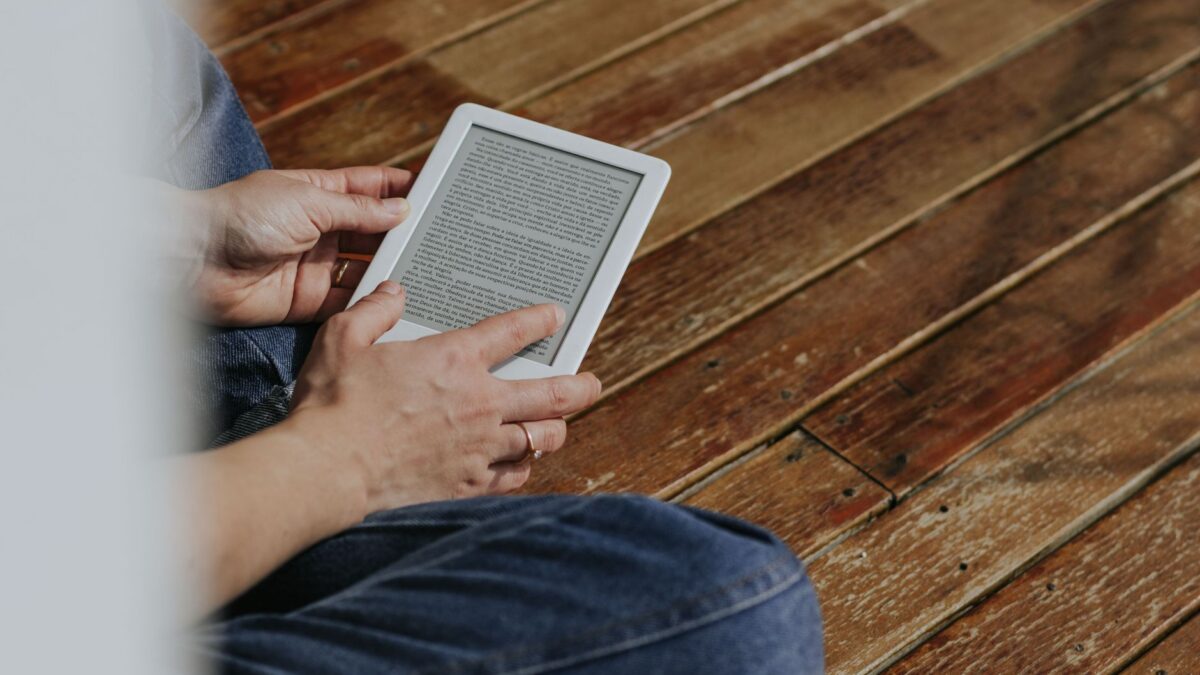
For most people, the choice comes down to where you get your books. If you already buy ebooks from Amazon, a Kindle is the simplest option. If you borrow a lot from your public library, want to load EPUB files freely, or prefer physical page-turn buttons at a lower price, a Kobo is usually the better fit. Buy a color or note-taking model only if you actually read comics, cookbooks or marked-up documents.
Why an e-reader instead of a tablet or phone?
E-readers use E Ink screens, which reflect light like paper instead of shining it at your eyes. That gives you three practical advantages over a tablet:
- Battery measured in weeks, not hours, because the screen uses power mainly when the page changes.
- Readable in direct sunlight, on the beach or by a window.
- Fewer distractions: no social feeds or notifications pulling you away from the book.
The trade-offs are slow page refreshes, limited web browsing and, on most models, a black-and-white screen.
The big decision: which bookstore ecosystem
Each e-reader brand is tied to its own store. You can still sideload some files, but day-to-day convenience depends on the store built into the device.
| Amazon Kindle | Rakuten Kobo | Others (Boox, PocketBook, Nook) | |
|---|---|---|---|
| Built-in store | Kindle Store, Kindle Unlimited | Kobo Store, Kobo Plus (in some countries) | Varies; Boox runs Android apps |
| Native formats | Amazon’s own formats; EPUB via Send to Kindle (converted) | EPUB and Kobo’s KEPUB, PDF, plus others | Usually wide format support |
| Library borrowing (US) | Through Libby, then delivered to Kindle | OverDrive built into the device | Through apps or file transfer, depending on model |
| Audiobooks | Audible on recent models via Bluetooth | Kobo audiobooks on recent models via Bluetooth | Varies |
| Best for | Amazon customers, Kindle Unlimited readers | Library borrowers, EPUB collectors | Tinkerers, PDF-heavy readers |
Your existing purchases matter most. Kindle books bought from Amazon don’t open on a Kobo, and Kobo store books don’t open on a Kindle. If you’ve built a big library with one store, switching means starting over.
Library borrowing: Libby and OverDrive
Many US public libraries lend ebooks for free through OverDrive, using the Libby app. How it reaches your e-reader differs by brand:
- Kindle (US only): In Libby, borrow the book, then tap Read With > Kindle. You’re sent to Amazon to confirm, and the book is delivered to your Kindle over Wi-Fi. Not every library title offers the Kindle option.
- Kobo: On the e-reader, go to More > Settings > OverDrive (wording can vary by firmware), sign in with your library card, and borrow directly from the device.
- Other devices: Some libraries offer EPUB downloads protected with Adobe DRM, which you transfer with a computer.
Libby’s own help pages at help.libbyapp.com list which devices and regions are supported. If library books are your main source, check your library’s catalog first to see what it actually offers.
Screen features that matter
Resolution
Look for around 300 ppi (pixels per inch) on black-and-white models. Most current Kindles and Kobos meet that, and text looks crisp at normal reading distance.
Front light and warm light
All mainstream e-readers have a built-in front light for reading in the dark. Mid-range and higher models add an adjustable warm light that shifts toward amber at night, which many readers find more comfortable.
Size and buttons
Six to seven inches is the sweet spot for novels and one-handed reading. Larger 8- to 10-inch screens suit PDFs and textbooks but are heavier. Physical page-turn buttons, common on Kobo’s Libra line, are worth having if you read lying down.
Waterproofing
Many mid-range models carry an IPX8 rating, meaning they survive accidental drops in a bath or pool. Check the spec sheet rather than assuming.
Color E Ink: worth it?
Color e-readers such as the Kindle Colorsoft and Kobo’s Libra Colour and Clara Colour use a color filter layer over the E Ink panel. Colors look muted, more like a newspaper insert than a tablet, and color areas have lower resolution than black text.
Color makes sense if you read comics, graphic novels, children’s books, cookbooks or highlight in several colors. For plain novels, a black-and-white model is cheaper and slightly sharper.
Note-taking e-readers
Models with a stylus, such as the Kindle Scribe line, Kobo’s Libra Colour and Elipsa, and Boox devices, let you write notes and mark up documents. They’re useful for students, people who review PDFs at work, or anyone replacing paper notebooks. Before buying, check whether the stylus is included or sold separately, and whether you can write directly on ebook pages or only in separate notebooks, since that differs between models and firmware versions.
What you can expect to pay
Prices change often and drop during big sales, so treat these as rough ranges:
- Entry-level black-and-white: roughly $100 to $150.
- Mid-range with warm light and waterproofing: roughly $150 to $250.
- Color models: roughly $150 to $300.
- Large note-taking models: roughly $350 to $650 or more.
Amazon sells some Kindles with lock-screen ads at a lower price; removing them costs extra. If you’re shopping during sale season, our guide to spotting a real Black Friday tech deal helps you tell a genuine discount from an inflated “was” price.
A note on files and ownership
Most store-bought ebooks are protected by DRM, which ties them to the store’s apps and devices. Stripping that protection breaks store terms and, in the US, can run against the DMCA, so we don’t cover it. Your legal options are to buy DRM-free books where publishers offer them (some Kobo and independent-store titles are), keep your account active, and use the store’s official download features where available. Amazon removed the old “Download & Transfer via USB” option for Kindle books in 2025, so don’t rely on that for backups.
Quick picks by reader type
- Kindle Unlimited subscriber or Amazon shopper: a basic or Paperwhite-class Kindle.
- Heavy library user: a Kobo with built-in OverDrive.
- Comics and cookbooks: a color model from either brand.
- Students and PDF readers: a larger note-taking model.
- Wants Android apps: a Boox, accepting more complexity and shorter battery life.
Bottom line
Decide on the ecosystem first, then the screen. Kindle is the easiest choice for Amazon customers; Kobo is friendlier for library borrowing and open EPUB files. Spend extra for warm light and waterproofing if you read daily, and for color or a stylus only if you’ll use them. If you plan to read on the go, pair it with a decent power bank for your other devices, since the e-reader itself will rarely need one.
FAQ
Can I read Kindle books on a Kobo?
Not directly. Kindle store books are locked to Amazon’s apps and devices. You can still read them in the Kindle app on a phone or tablet.
Do e-readers work with my library card?
Usually, if your library uses OverDrive and Libby. Kobos borrow directly; US Kindles receive Libby loans through Amazon. Availability depends on your library.
How long does an e-reader battery last?
Typically weeks of normal reading on a charge, depending on light brightness, Wi-Fi and Bluetooth use. Color and stylus models tend to need charging sooner.
Is a color e-reader as good as a tablet for comics?
No. Colors are softer and refreshes are slower. The advantages are battery life, outdoor readability and less eye glare.