Road Trip Checklist: 7 Checks for Your Car and Your Tech
A road trip checklist covers seven checks before you leave, from tires and fluids to phone backups, plus chargers, mounts and dash cams worth packing.
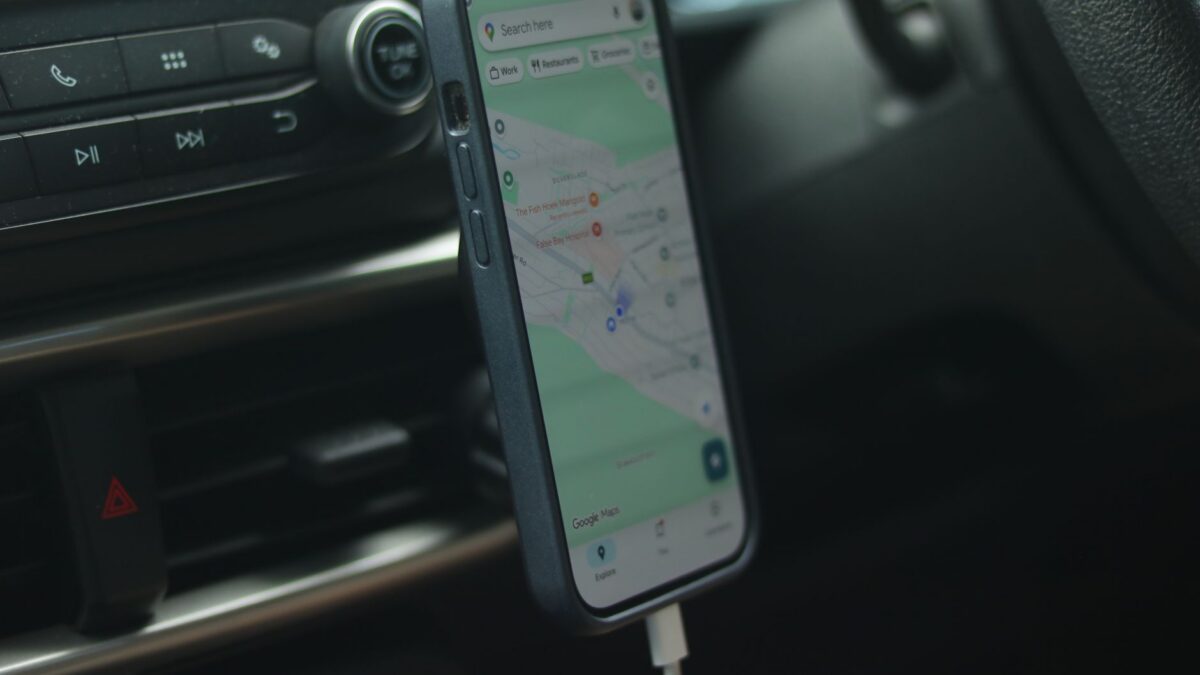
Before a road trip, check seven things: tire pressure and tread, fluids and lights, the spare and emergency kit, your route and offline maps, your phone and its backups, your charging setup, and your mount and dash cam. The first three keep the car safe, the last four keep your tech useful when signal or battery runs short. Do the car checks a few days ahead so there is time to fix anything you find.
1. Tires: pressure, tread and age
Tires are the most common thing people skip and one of the most important. Check pressure when the tires are cold, meaning the car has been parked for a few hours or driven only a short distance. The correct number is on the sticker inside the driver’s door frame or in the owner’s manual, not on the tire sidewall, which shows the maximum.
- Inflate to the figure on the door placard. If you will be carrying a heavy load, check whether the manual lists a different pressure for full loads.
- Look at the tread. Many tires have wear bars in the grooves; when the tread is level with them, the tire is due for replacement.
- Look for cracks, bulges or nails in the sidewall and tread. A bulge means the tire should be inspected by a professional before you drive far.
- Check the spare too, if your car has one. A flat spare is no help.
2. Fluids, lights and wipers
With the engine off and the car on level ground, check engine oil, coolant level in the reservoir (never open a hot radiator or reservoir cap), brake fluid and washer fluid. Top up washer fluid and use only the fluids named in your manual. Then ask someone to stand outside while you test headlights, brake lights, indicators and hazard lights. Replace worn wiper blades; streaking blades are a real problem in rain at highway speed.
If a warning light is on, if the brakes feel soft or spongy, or if the car has been overheating or making new noises, have a mechanic look at it before you leave. A trip is a poor time to find out.
3. Spare, tools and emergency kit
Confirm you have a working jack and wheel wrench, or a tire repair kit and inflator if the car has no spare. Add a flashlight with fresh batteries, a reflective warning triangle or flares, jumper cables or a portable jump starter, a basic first aid kit, water, a blanket and some snacks. Keep your insurance and roadside assistance numbers somewhere you can reach without cell service, such as a printed card in the glovebox.
4. Route, offline maps and a plan for no signal
Coverage drops out in mountains, deserts and remote stretches, and that is exactly where navigation matters most. Both Google Maps and Apple Maps let you download an area for offline use; find this in the profile or account menu for Google Maps and in the Maps settings for Apple Maps. Download the whole region you will drive through, not just the destination.
- Share your route and expected arrival time with someone at home.
- Note fuel and charging stops ahead of time, especially on long empty stretches.
- Save music, podcasts and playlists for offline playback so streaming does not depend on signal.
5. Phone: updates, storage and backups
Install pending system and app updates on home Wi-Fi, not on a hotel connection or mobile data. Free up some storage so photos and video do not stop mid-trip, and make sure your photo backup has finished. Turn on the built-in device-finding feature for your phone, and know how to put it into a low-power mode.
If you plan to install a new navigation, parking or toll app for the trip, read how to check if an app is safe before you install it. Look-alike apps and fake parking payment pages are a common nuisance for travelers.
6. Chargers and cables
Phone navigation is a heavy battery drain, with the screen on and GPS active, so a car charger is not optional on a long drive. Choose one that matches what your phone can accept.
- Look at the ports. A charger with USB-C and a power delivery rating charges modern phones and tablets much faster than an old low-output USB-A plug.
- Two ports are better than one. Passengers will want to charge too, and a dual-port model avoids swapping cables.
- Use decent cables. Cheap, frayed cables are a frequent cause of slow charging. Pack a spare in a different length.
- Add a power bank. It covers walks, rest stops and moments when the car is off. Keep it in the cabin rather than a hot trunk or on the dashboard in direct sun.
- Buy from known sellers. Unbranded chargers with no safety marks are not worth the risk in a car’s power socket.
If your wireless earbuds are going to be your hands-free audio, charge their case too. For buyers still choosing, this comparison of AirPods models on sale explains the differences between them.
7. Phone mount and dash cam
A mount keeps navigation at eye level so you are not holding or glancing down at your phone. Choose between a vent clip, a dashboard or windshield suction mount, and a cup holder base. Whatever you pick, a few rules apply.
- Place it so it does not block your view of the road. Rules on windshield mounts and on handling phones while driving differ by state and country, so check local law.
- Set your destination before you start driving, not while moving.
- If you use a magnetic mount, make sure it is rated for your phone and case. With wireless charging, check that the mount and case suit each other.
- Avoid leaving a phone in direct sun on a mount for hours; heat slows charging and can trigger a temperature warning.
A dash cam is optional but useful: it records evidence if there is a collision, and many continue recording while parked. Features worth looking for include loop recording, so old footage is overwritten automatically; a G-sensor that locks the clip when it detects an impact; a clear night image; and a high-endurance microSD card made for constant rewriting. Format the card in the camera, and check that the clock and date are right. Recording laws, especially on audio, vary by place, so check the rules where you are driving. A dash cam wired to the fuse box can record while parked, but have a professional fit it if you are not confident with car electrics.
Quick answers
How far ahead should I do the car checks?
A few days to a week before you leave is sensible. That leaves time to book a mechanic or buy a part if something is wrong, instead of finding out on departure morning.
Do I need a dash cam for a road trip?
No, it is not required. It is a convenience that can help with insurance claims and disputes, but it adds one more device to power, mount and maintain. Check your local laws before using one.
Is it safe to leave gadgets in a parked car?
Avoid it where you can. Heat can damage batteries and screens, and visible electronics attract thieves. Take the phone, power bank and laptop with you, and stow chargers and mounts out of sight.