How to Switch Carriers and Keep Your Phone Number (Without a Service Gap)
Porting a number to a new carrier usually takes minutes to a day. The key is not cancelling your old plan first and having the right PIN ready.
To switch carriers and keep your number, don’t cancel your current plan. Instead, sign up with the new carrier and give it your current account number and a number transfer (port-out) PIN from your old carrier. The new carrier requests the port, your number moves over, and your old service is cancelled automatically when the port completes. Most wireless-to-wireless ports finish within hours.
Before you start, make sure your phone is unlocked if you plan to keep it, and know what you still owe on any device payment plan.
Step 1: Check if your phone is unlocked
A carrier-locked phone only works on that carrier’s network. To check:
- iPhone: go to Settings > General > About and look at Carrier Lock. “No SIM restrictions” means it’s unlocked.
- Android: the location varies by brand. A simple test is to try another carrier’s SIM or eSIM, or ask your current carrier.
Unlock rules depend on the carrier and on whether the phone is paid off. In January 2026 the FCC waived the rule that had required Verizon to unlock phones automatically after 60 days, so Verizon, like other carriers, now follows its own policy and industry guidelines. In general, carriers unlock postpaid phones once they’re paid off and prepaid phones after a set period of service. Request the unlock before you switch; it can take a few days.
Step 2: Check what you owe and any fees
- Device payment plans: if you’re paying off a phone in installments, the remaining balance usually becomes due when you leave. Any monthly bill credits tied to staying (common with “free” phone promotions) typically stop.
- Final bill: you’ll still owe for service up to the port date.
- Porting fees: some carriers charge a small fee to port out. Ask whether it can be waived.
According to the FCC, your old carrier can’t refuse to port your number because you owe money, but you’re still responsible for that balance. The FCC’s guide to keeping your number explains your rights.
Step 3: Get your account number and transfer PIN
Your new carrier will ask for your account number, a transfer PIN and sometimes your billing ZIP code. The account number is on your bill or in your carrier’s app. Carriers generate the PIN on request:
| Carrier | How to get a transfer PIN (as of October 2026) | Notes |
|---|---|---|
| AT&T (postpaid) | Dial *PORT (*7678) from your AT&T phone, or use myAT&T: Profile > transfer phone number options |
PIN expires after a few days; only the account owner or authorized user can request it |
| T-Mobile | In the T-Life app or on T-Mobile.com, under account permissions, choose Transfer PIN | Primary account holder only; turn off Port Out Protection first if enabled |
| Verizon | In the My Verizon app or website, find Number Transfer PIN in account settings | Turn off Number Lock first if you’ve enabled it |
| Prepaid and smaller carriers | Often your account PIN or a code from customer service | Check the carrier’s support page |
Menu paths in carrier apps change often, so if you can’t find the option, search the app for “transfer PIN” or “port out.”
Only request the PIN when you’re ready to switch. It expires quickly, and you should never share it with anyone except the new carrier. Scammers try to get these PINs to hijack phone numbers.
Step 4: Back up your phone
Your contacts and photos don’t depend on the carrier, but back up anyway in case you need to reset or replace the phone. If you’re also switching from Android to iPhone, see our guide to transferring data from Android to iPhone.
Step 5: Sign up with the new carrier and start the port
- Choose a plan with the new carrier online, in its app or in a store.
- Select the option to transfer (port) your existing number and enter your account number, transfer PIN and other requested details.
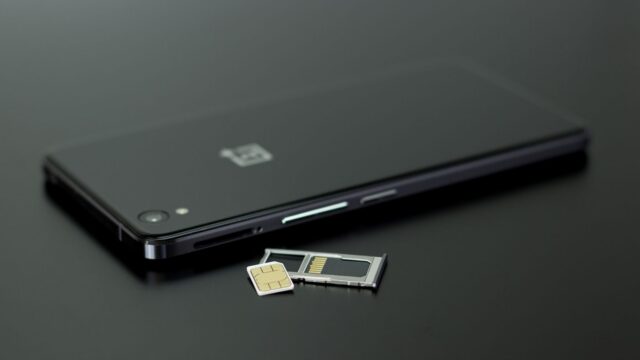
- Choose your SIM type. On most current phones you’ll get an eSIM, activated through the carrier’s app, a QR code, or a carrier activation prompt on the phone.
- Install the new eSIM (or insert the new SIM card) when the carrier tells you to.
- Wait for the port to complete. Your phone may show “No Service” or “SOS only” on the old line for a short period.
- Restart the phone and make a test call and text.
FCC rules require simple ports to be completed within one business day, and wireless-to-wireless ports often take minutes to a few hours. Learn more about how eSIM activation works in our explainer on what an eSIM is.
How to avoid a service gap
- Don’t cancel your old plan yourself. If you cancel before porting, you can lose the number.
- Start the switch early in the day on a weekday, so customer support is available if something stalls.
- Have Wi-Fi available. You’ll need it to download the new eSIM, and Wi-Fi Calling may help during the switchover.
- Don’t delete the old eSIM until the new line shows full service and your number works for calls and texts.
- Expect two-factor codes to pause briefly. If you rely on text codes, avoid switching right before you need to log in to something important.
After the switch
- Confirm the old carrier sent a final bill and that the account is closed.
- Pay off any remaining device balance to avoid collections.
- On iPhone, check Settings > Messages > Send & Receive and FaceTime to make sure your number is still selected.
- Set a port-out protection option or account PIN with your new carrier to guard against SIM-swap scams.
- If you’re not keeping the old phone, look at where to trade in your old phone.
Bottom line
Unlock your phone, get your account number and transfer PIN, and let the new carrier handle the port. Don’t cancel the old plan or delete the old eSIM until the new line works. With eSIM, the whole switch often takes less than an hour.
FAQ
Can my old carrier refuse to transfer my number?
Not because you owe money. The FCC says your old carrier must port the number if the request is valid, though you remain responsible for any balance or fees.
How long does porting a number take?
Wireless-to-wireless ports often take minutes to a few hours. FCC rules require simple ports to be completed within one business day.
Can I keep my number if I move to another state?
For mobile numbers, usually yes. Wireless carriers generally let you keep your number regardless of where you move in the US.
Do I need a new phone to switch carriers?
No, if your phone is unlocked and compatible with the new carrier’s network. Most new carriers have an online compatibility checker that uses your phone’s IMEI.